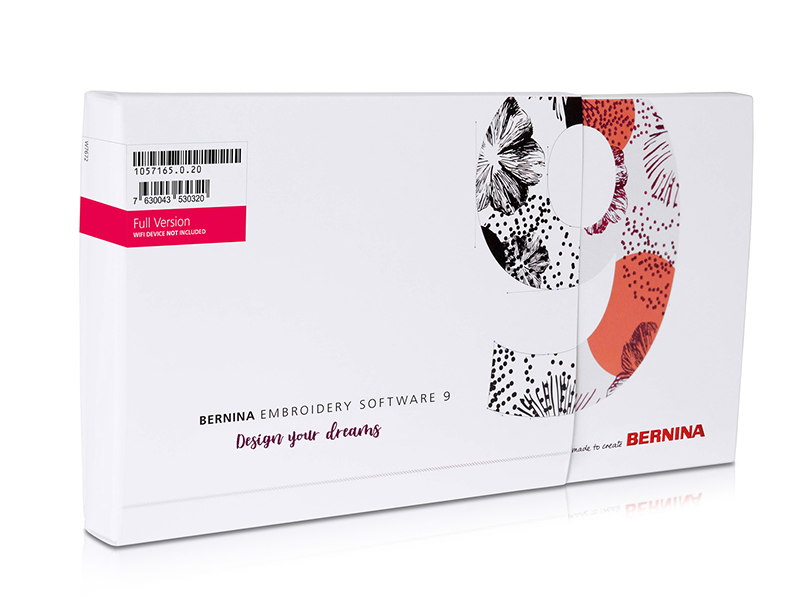
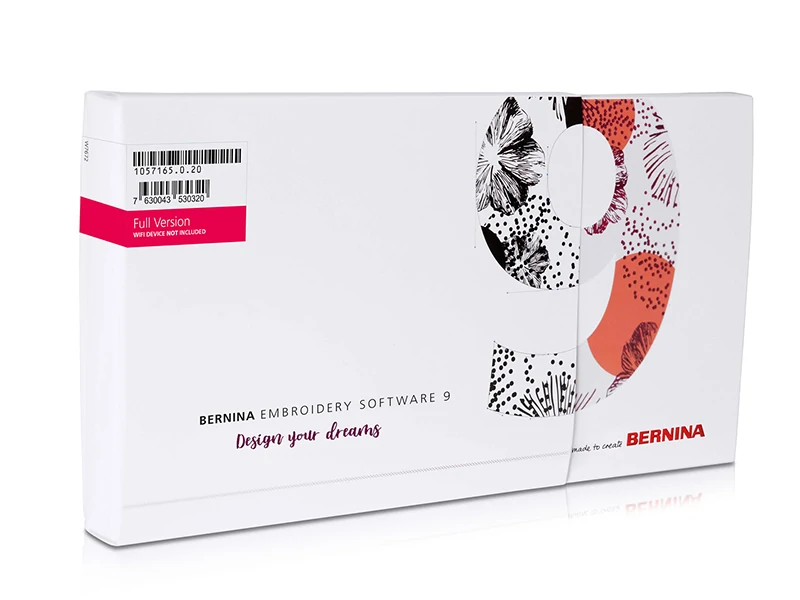


Bernina Embroidery Software V9 Designer Plus Full Version
The most comprehensive embroidery design program!
BERNINA Embroidery Software 9 is a newly developed software designed for both experienced and beginner users. It opens the door to outstanding and creative embroidery and is available in two levels: DesignerPlus and DesignerCreator. The top-of-the-line version , DesignerPlus, offers all the wonderful new and exciting embroidery features for creatives who want to design unique motifs. Users with previous versions can upgrade their older BERNINA Embroidery Software to BERNINA Embroidery Software 9 to take advantage of all the great new features. The DesignerCreator version is an introduction to embroidery, giving beginners all the tools they need. You can use Creator to start your embroidery projects , as well as edit and modify designs to create something personal and meaningful to you. And when you're ready, you can easily upgrade from Creator to DesignerPlus at any time. BERNINA Embroidery Software 9 offers numerous new features designed to make creating embroidery quick, easy, and rewarding. Both levels offer many new features and possibilities, including WiFi functionality. This new feature requires a BERNINA WiFi Device, which is available as an optional accessory . Creating new designs has never been easier. Embroidery has reached a new level!

Polityka bezpieczeństwa
(edytuj w module Customer Reassurance)

Zasady zwrotu
(edytuj w module Customer Reassurance)

Zasady dostawy
(edytuj w module Customer Reassurance)


Note: You can download the full 30-day trial version from the link https://www.bernina.com/difference-V9-trial
930 patterns in the set
The Bernina Designer Plus Bundle includes 930 embroidery files, 104 fonts, and 9 font curve versions. There's also a wide range of fill patterns: 32 basic and 892 special. You can also use 9 basic outlines and 700 special outlines . You can choose from 497 Artwork files.
Easy installation
Installing BERNINA Embroidery Software 9 has never been easier or more flexible thanks to the improved installation process. In a flash, the software is installed on your computer. Plus, you can use the software on multiple computers by simply logging in and entering your password.
Home screen
When you open BERNINA Embroidery Software 9, you'll notice an informative and interactive home screen that offers links to tutorials and new projects.
WiFi functionality
Transfer your designs to your machine effortlessly with the new WiFi feature. The BERNINA WiFi Connector was developed to wirelessly manage and transfer your embroidery designs. This seamless process allows you to complete all your design work on your computer, in any room in your home, and then transfer it to your embroidery machine for stitching. Connecting the software to your embroidery machine via WiFi is so simple! Whenever your embroidery design is ready to stitch, simply start the process with a single click. The BERNINA WiFi Connector is optional and can be purchased separately with the software.
CorelDraw SE (DesignerPlus)
If you want to start with a new graphic, simply open the latest version of CorelDraw SE, which is included with the DesignerPlus tier, and you'll be ready to create your own designs in no time. Thousands of graphics are also available for download via Connect Docker. Creator doesn't include CorelDraw SE, but you can use graphics by opening them directly on the workbench as finished designs. Both tiers have added many new graphics to choose from. Once you've opened a design, use the new features to have fun creating, editing, and designing your own personalized embroidery design and send it via WiFi to your embroidery machine.
Auto-Digitising and Manual Digitising
With both DesignerPlus and Creator, you can take a graphic and transform it into an embroidery design. This is accomplished using powerful, updated Auto-Digitising and Manual Digitising tools. In just a few clicks, your creation is ready to be stitched. With Manual Digitising, you can create your embroidery design from a sketch and digitise it manually. This allows for maximum flexibility from the start, utilising a wide range of stitch settings and effects. DesignerPlus offers even more specialties, such as Keyboard Design Collection, Quilt Design Application, Cross Stitch Design Application, Multi-Hooping, PunchWork, and Couching.
Full edition
Both levels offer full editing tools, providing unlimited flexibility in modifying and customizing your embroidery designs. For example, you can add special fill effects, change colors, or change the size. With exciting new features, BERNINA Embroidery Software 9 opens up a wider range of creativity than ever before. The Full Editing feature offers new Branching and Welding tools. With the Branching tool, you don't have to think about the most efficient stitch sequence and interface; it does it for you. Digital artists often want to combine or weld multiple objects into one, which is easy with the new Welding tool.
Fonts
You can access lettering from a separate set of lettering and monogramming tools. Many new fonts have been added to BERNINA Embroidery Software 9, giving you over 100 fonts—including elegant, contemporary handwriting styles. To ensure the best quality, the recommended font size for each font is displayed in a dialog box, and the size in the preview can be changed from small to large. The font selection window shows recently used fonts at the bottom for greater ease of use. Adding fonts has never been so flexible.
Keyboard Design Collection
If the 100+ fonts included aren't enough, you can expand your lettering possibilities without limits with the new Keyboard Design Collection. With this versatile new feature, you can map existing alphabet patterns to your keyboard, so you can type them directly on the screen. No more combining patterns one by one! You can even digitize your handwriting or create your own alphabets from scratch! DesignerPlus includes five additional fonts from the Keyboard Design Collection.
Multi-Hooping
Creating large projects is easy with the Multi-Hooping feature, which automatically positions more than one hoop when needed. It positions hoops to cover the entire project, fitting as many objects as possible into each hoop position. You can preview all hoop sequences and save them as a complete project or as separate multi-hooping machine files.
Color management
Palette items are numbered for easy reference in the color management system, and the color wheel offers a range of color options. Choosing the right color and fill for objects has never been easier thanks to the palette's numerous options (56 + 3 applications). Selected colors are marked with a blue marker.
Integrated Project Library
This powerful search engine provides quick access to all your designs and provides improved project management. It makes it easy to browse, group, and search for designs or get inspiration. From here, you can also send designs directly to your BERNINA WiFi Device for stitching.
3D Embroidery
Color Photo Stitch and Automatic Digitizing transform your favorite photo into a detailed embroidery design in just a few steps. Add unique 3D effects to your embroidered letters with Puffy Lettering, and create beautiful eyelet embroidery and appliqués with the enhanced CutWork feature. Globe Effect transforms flat embroidery into 3D designs, and create stunning 3D wool effects with Couching.
Automated quilt block layout
Quilting is also made easy with the automatic quilt block layout feature. Automatic block background stitching is used to create "echo" patterns, such as scroll-clipped or stipple-filled blocks. Furthermore, aids for sizing and positioning quilt blocks are available.
Easy positioning
The positioning feature makes it easy to place your designs exactly where you want them. Simply set up your design sheet and add the template to the preview, then move and rotate the design within the hoop and use the advanced print preview options. Use the hoop template and basting stitch markers for precise positioning.
Application Creation
Use powerful appliqué tools to transform any shape into an appliqué design with a single click. Even creating appliqués with holes in the center is now easy. Want to cut fabric with CutWork cutting needles or a plotter? No problem, because you can save an additional cut file directly from the embroidery canvas.
Simple and clear interface
All of the software's amazing features are easy to use and navigate with a user-friendly interface. The menu is intuitive and easy to navigate. You can choose small or large icons for a perfect view, and tool names and functions can be displayed as needed. You can open more than one project at a time and easily switch between projects using project tabs.
"Underlay" function
Program the underlay before embroidering. This option reinforces the fabric and embroidery. In the Underlay tab, you can select different types of underlays for complex fillings and satin.
Pull compensation function
Sometimes, when embroidering, the outline of the design doesn't align with the embroidery fill. At the same time, it turns out that the embroidery looks good on some fabrics, but the problem occurs only in certain fabrics. This function allows you to extend the embroidery fill so that the border aligns perfectly with the edge of the fill.
"Complex Fill with holes" function
This is a filling function with stitch angle setting and taking into account empty spaces (holes).
Embroidery Edit Features:
- Pattern rotation
- Mirror image
- Move forward/backward
- Copy, paste, cut
- Selection tool,
- Changing the thread color or manufacturer's palette,
- Alignment in various planes,
- Grouping,
- Resequencing,
- Color optimization,
- Repetition,
- Copying,
- Shape creation tool,
Text functions:
- Adding letters, text,
- Adding text in a circle,
- Adding Monograms,
- True Type Fonts and Polish characters
- 104 ready-to-use fonts,
File Features:
- Export,
- Opening and saving,
- Printing,
- Connecting,
- Embroidery library,
- Import of embroidery files: RDE - Ricoma, EXP - Melco, DST - Universal, DSB - Barudan, DSZ - ZSK, T01 - Tajima, SST - SWF, KSM - Pfaff, PHC - Brother, TAP - Happy, M3 - J uki,
- File transfer to the machine via serial port, Wi-Fi network,
- Saving embroidery files as graphics (jpg or png),
- Import of bitmap and artwork files,
- Export artwork files,
Preview features:
- Realistic appearance of 3D embroidery,
- Zoom in and out with the mouse scroll,
- Stitch endings,
- Ruler for measuring,
- Hoops,
- Change background color
- Cutting commands,
- Start/Stop commands
- Sequencing panel,
- On-screen embroidery simulation,
Note: Instructions in English!
We invite you to check out the Bernina channel - Instructional videos for BERNINA embroidery software:
https://www.youtube.com/playlist?list=PLfT1DJU1aElqjUUMWXnGS3gfP2bWgBqEc
Description of the above product is protected by copyright. Their use requires the permission of the copyright owner. Downloading the content of the above description without the consent of Wiking Polska Sp. z o.o. based in Krakow constitutes an act of unfair competition in the light of the ACT of April 16, 1993 "on combating unfair competition".

bernina-soft-v9-full
8 Items
hourglass_empty
3 other products in the same category:


Product Review
-
Reviews (0)
-
Latest
-
Latest